



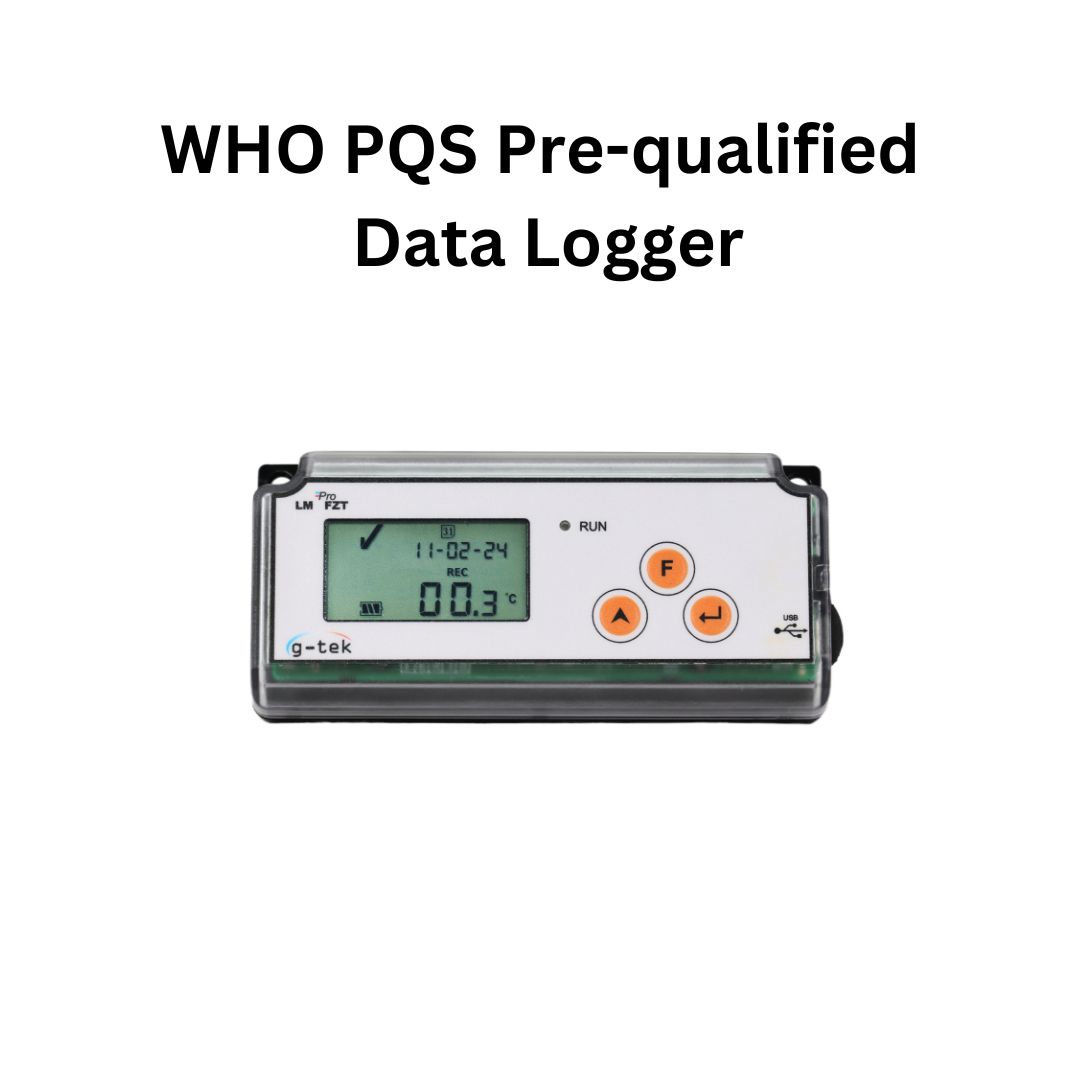
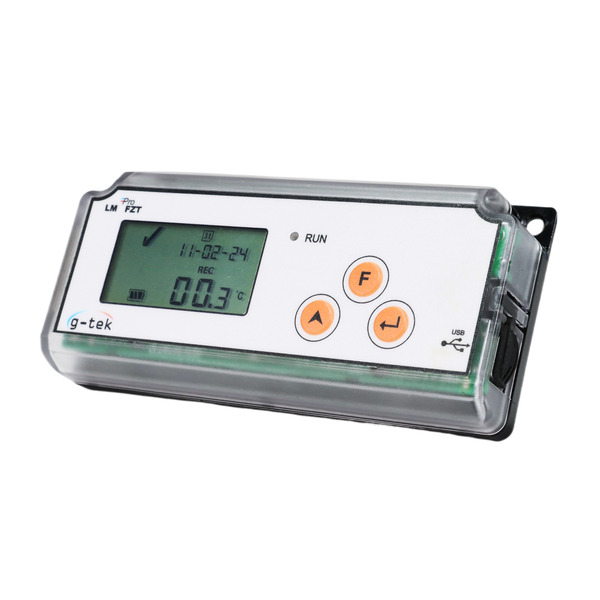
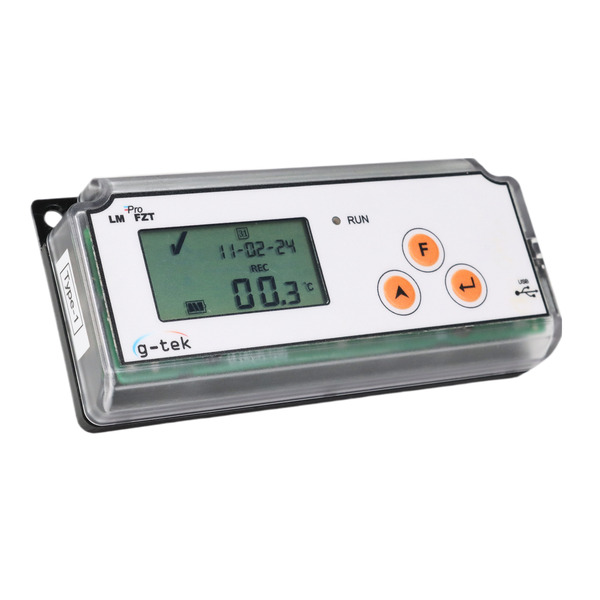
LM Pro FZT (Type-1)
It is very critical to know and ensure that vaccines are stored at the recommended temperature throughout its lifecycle. WHO PQS E006 clearly defines the requirements for monitoring of vaccine temperatures. LMPro FZT- Freezer Temperature(Type-1) Data logger from G-Tek is an integrated sensor data logger meeting the requirements of WHO PQS E006/TR06.4. It displays “✔” if the temperature has remained within the recommended limits.
It displays “X” if there are any heat or freeze temperature violations, for a period beyond recommended limits. It gives a visual alarm for any violations of temperature. It stores the data up to 60 days and user can see the history data up to last 30 days without downloading or connecting the device to the computer.
All the parameters and alarm limits are pre-configured as per the requirement of guidelines, wherein the “Type- 1” version indicates that it is capable for monitoring vaccine refrigerators at +2 to +8 °C. Intuitive menus and large display make it easy to use. Direct PDF/CSV Summary Report of maximum 60 days can be generated by connecting the device with PC. For the detailed data analysis and report, windows based software application is available. It comes with individual NABL traceable calibration certificate. With its long battery life and economically priced, makes it indispensable in Vaccine Vial Monitoring (VVM).
Features
Key Features:
- 60 days of data storage
- History data view of last 30 days
- Large intuitive display
- Resolution of 0.1 °C for Display and 0.01 °C for Storage
- Display continuous ON option available*
- Visual Alarm Indication
- Tags for Alarm and Time Settings
- Direct PDF/CSV Summary report for 60 days
- Long battery life of more than 5.5 years
- Battery life indicator on display
Specification
| Model | LMProFZT (Type-1) 99958 |
| General | |
| Integrated Sensor | Thermistor – 10K NTC |
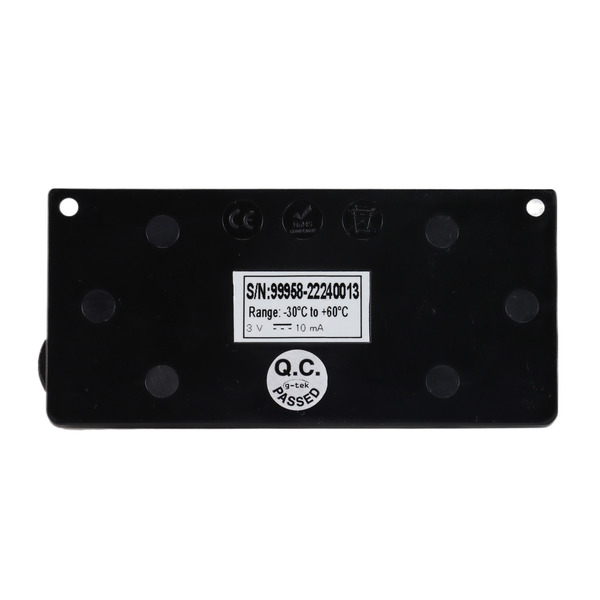
| Temperature Measurement Range | -30 °C to + 60 °C (-22 °F to +140 °F) |
| Accuracy | ± 0.5 °C for the range -30 °C to + 30 °C ± 0.7 °C otherwise |
| Resolution | 0.1 °C display and0.01 °C storage |
| Unit of Measurement | Data in degree centigrade °C. User has an option to view the data in degree Fahrenheit°F on LCD display |
| Calibration | Each device accompanies NABL (ISO/IEC 17025) traceable certificate |
| Alarm | Visual |
| Alarm Low Settings* | <= -0.5 °C for more than 60 minutes |
| Alarm High Settings* | >= 8.0 °C for more than 10 hours |
| Response Time | T90 <20 minutesas per EN12830:1999 |
| Logging Interval* | Measurement interval 1 minute and Data store interval 5 minutes, pre-Fixed. |
| Delayed Start Option | Yes. 30 minutes after start of the device |
| Power Requirement | |
| Battery | Non-Replaceable 3.0 V 950mAH; CR2477 Panasonic (or Equivalent) Coin Cell Battery; |
| Battery Life# | Up to years 5 years useful life and 0.5 years storage life.The battery indicator on the display provides information on the remaining lifetime. |
| Environmental Specification | |
| Temperature during Transportation and Storage – Device inactivated | -30 ˚C to 60 ˚C |
| Temperature during operation | -30 ˚C to 60 ˚C (EN12830:1999 Table 3, Climatic Type C) |
| Humidity During Transportation, Storage and usage | 5 to 95% RH non-condensing |
| PC Interface and Software | |
| PC Interface | History data of 30 days can be seen using device keyboard and display without attaching to PC. Direct PDF/CSV Summary Report of maximum 60 days can be generated by connecting the device with PC. Log data file of max 30 days can be extracted using LMViewXS-E006 software to analyze and generate the detailed data report in PDF/CSV format. |
| Connectivity | USB 2.0Type-C Compatible; Data Download Time: approx. 30 seconds for PDF/CSV report download. |
| Software Compatibility | LMViewXS-E006 is compatible with Windows Operating System currently supported by Microsoft. |
| Human Interface | |
| Display Type | Character LCD Display with Min, Max, Battery Level Indication, OK/Alarm, calendar, clock, duration, delay counter, Alarm high and Low, Alarm marker, Bell symbol, REC/Pause indication and Current reading with measurement unit. |
| Memory Size | 30 days overview on the display/ PDF report up to 60 days at store interval of 5 minutes. |
| Activation | Device activation by pressing “UP” key for about 2 seconds. Please refer to the operating manual for more details. |
| De-Activation | Cannot be manipulated, reset or deactivated without destroying it. |
| Status Indicator | LCD display is normally in auto off mode; Display Permanent ON option is also available# RUN: Red LED flashes while device is activated. |
| Alarm Visual | Temperature reading on LCD display along with ▲or▼ arrow for high or low alarm with bell symbol. Alarm markers for last 30 days on LCD display |
| Power ON Indication | “RUN” LED blinks in active mode; LCD shows temperature data along with “REC” and alarm indications if any. |
| Mounting Device | Through 2 holes provided. Refer to operating manual for details |
| Material | Polycarbonate Plastic: non-breakable, non-corrodible housing |
| Warranty | 12 months from the date of dispatch. Refer to warranty certificate for more details. |
| Service Provision | No user serviceable parts inside. |
| Physical Characteristics | |
| Overall Dimension (L x W x H) mm | 128x60x22 mm |
| Weight | Approximate 100gms |
| Standards | |
| Electromagnetic Compatibility | IEC 61000-6-2/6-3 |
| Resistance to Electrical Storms | IEC 61000-6-2; (IEC 61000-4-2 Basic Standard for applicability of tests)
|
| IP Rating | IEC60529: IP 64 |
| Impact Resistance | 5 drops from 1 meter onto concrete floor with battery in place. Device does not get damaged and there is no loss of calibration. |
| Vibration | EN12830:1999 Clause 4.9.3.2 and Test Method 5.6.6 |
| RoHS | Compliant (EU directive 2011/65/EU) |
| Verification | In accordance with PQS verification protocol E006/TR06.VP.4 |
*: Current alarm settings are pre-fixed from factory as per requirements of WHO/PQS/E006/TR06.4. Other settings are available on request.
#: If data is stored at 5 minute store interval and display is in off mode with storage and operation of the device remained inside the recommendations of the manufacturer.
Accessories
- USB cable
- Device calibration certificate
- Declaration of Conformity certificate for LM Pro FZT (Type-1)
- LM Pro FZT (Type-1) Data Logger Literature
- LM Pro FZT (Type-1) Operating Manual_Arabic
- LM Pro FZT (Type-1) Operating Manual_Chinese
- LM Pro FZT (Type-1) Operating Manual_English
- LM Pro FZT (Type-1) Operating Manual_French
- LM Pro FZT (Type-1) Operating Manual_Hindi
- LM Pro FZT (Type-1) Operating Manual_Russian
- LM Pro FZT (Type-1) Operating Manual_Spanish
- MultiLanguage LM Pro FZT (Type-1) Quick start guide
- WHO_PQS_E006_101_LM Pro FZT (Type-1) Data Logger
Downloads
- Overview of 30 DTR
- How to Operate 30-day Electronic Temperature Logger With Internal Sensor?
- Understanding Functionalities of Keys in 30 DTR
- Verifying Minimum and Maximum Temperature for Today in 30 DTR
- Reading Display Normal Vs Alarm in 30 DTR
- Switching Temperature Unit From Celsius to Fahrenheit in 30 DTR
- Date Change in 30 DTR
- Time Change in 30 DTR
- Pause Function in 30 DTR
- Continuous Display ON in 30 DTR
- Accessing Historical Data in 30 DTR
- Reviewing Alarm Statistics in 30 DTR
- Download PDF or CSV Summary Report in 30 DTR
- Download Data Report in 30 DTR
